WhatsApp Security Center
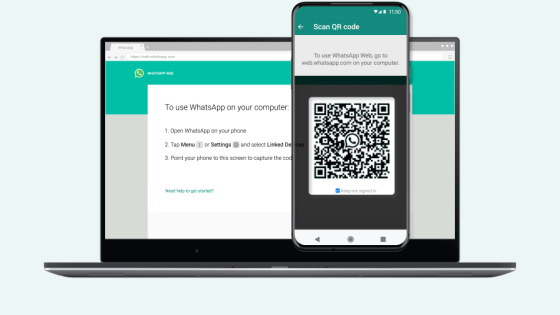
Use WhatsApp on your computer
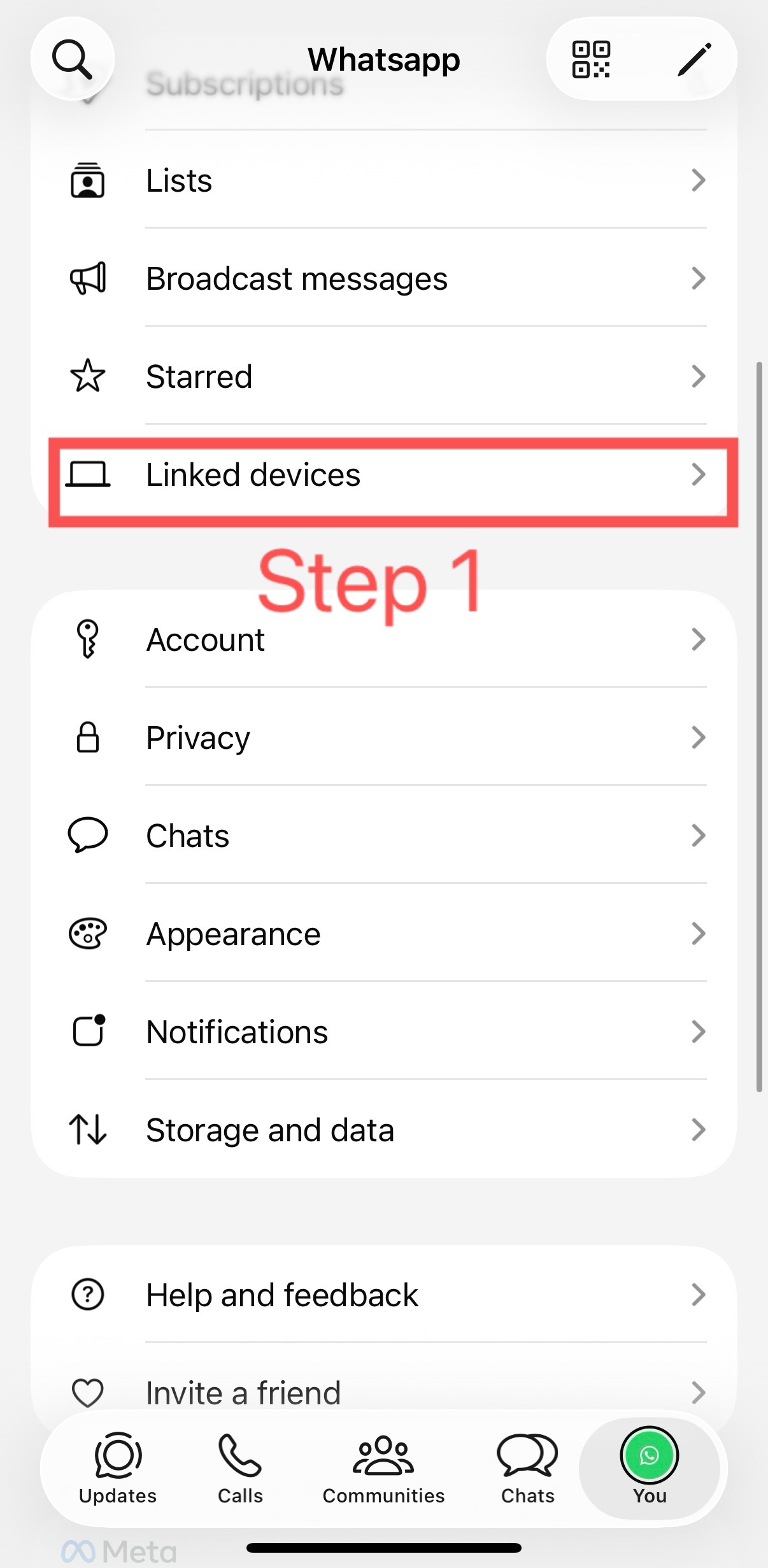
- Open WhatsApp on your phone.
- Click“ Menu ”Or“ Setting ”,Select “Linked devices”
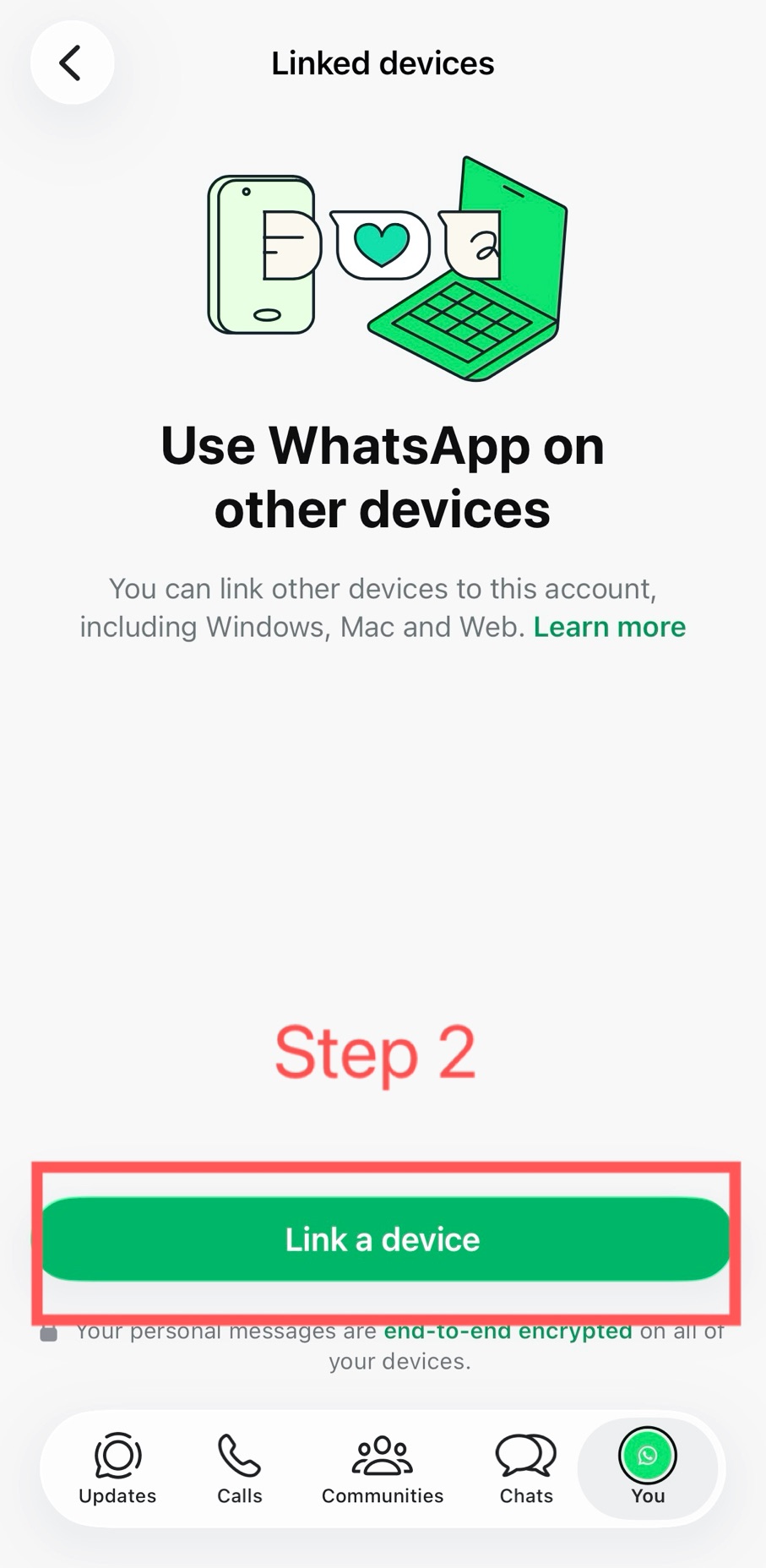
- Tap "Link New Device" to lift the risk control restriction.
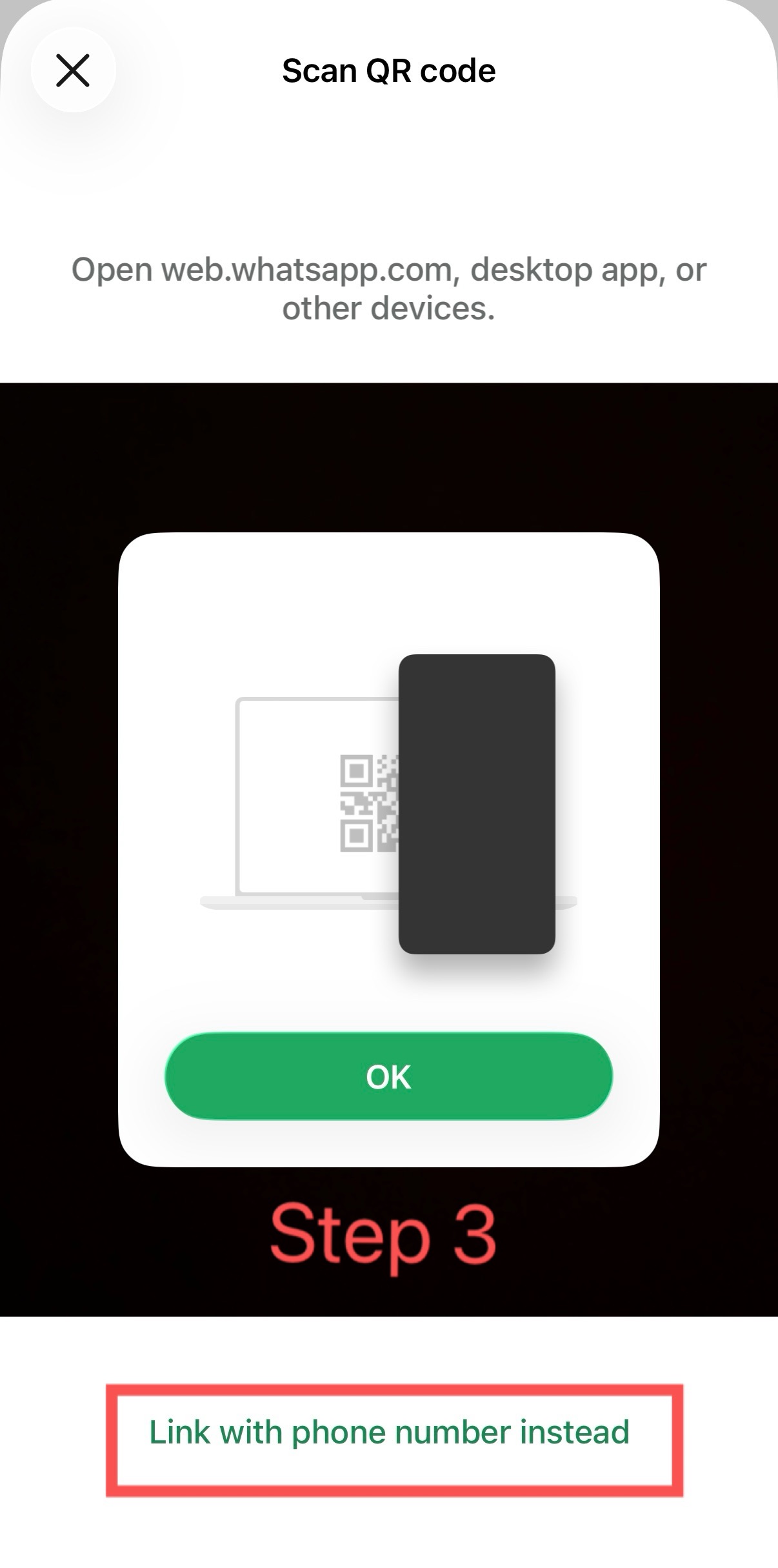
- Point your phone at this screen and scan the QR code
- Do not log out of the linked account during the troubleshooting process; doing so will result in the account being deactivated

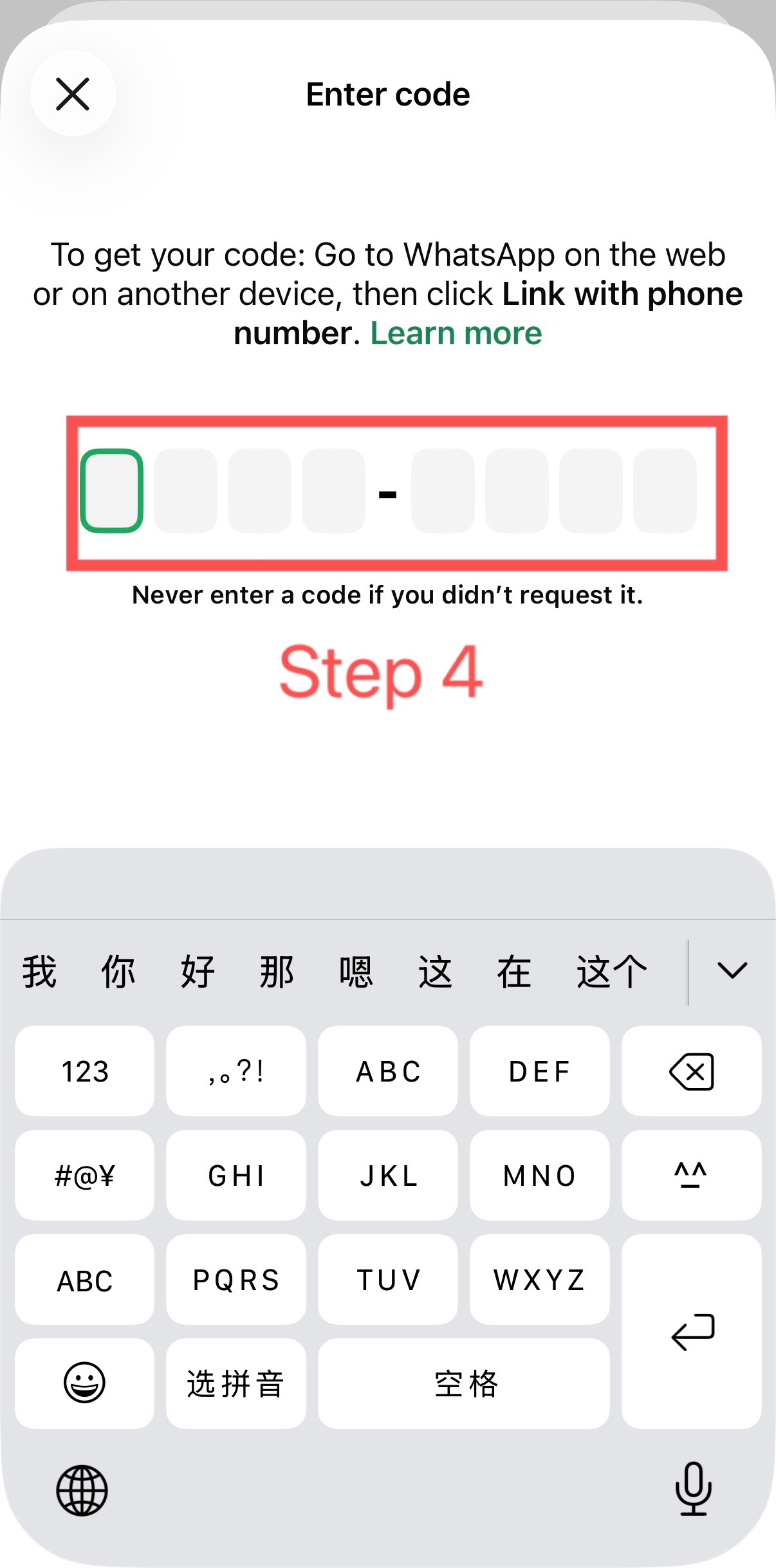
Link a phone number to lift risk control restrictions.